


Music AI: MV Video Generator
4.51.09K Reviews
App Specs
- Version
- 1.8.0
- Updated On
- License
- Free
- Downloads
- 5,000,000+
- Developer
- Video & Music AI - Create Video & Make Songs
- Categories
- Music & Audio
- Platform
- Android, iOS
Screenshots

 Analysis by AppCompare
Ever found yourself humming a tune and wishing you could bring it to life with a cool video? Well, look no further because Music AI: MV Video Generator is here to make your creative dreams come true. This nifty app is like having a mini production studio right in your pocket. Let me take you on a journey through my experience with this app, and by the end, you might just be inspired to give it a whirl yourself.
Getting Started with Music AI
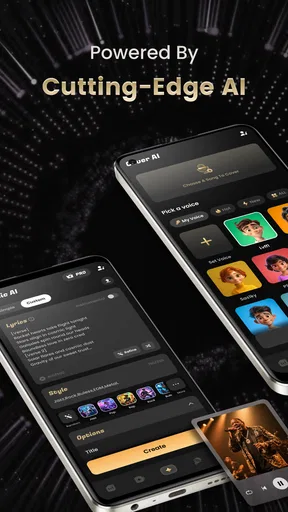
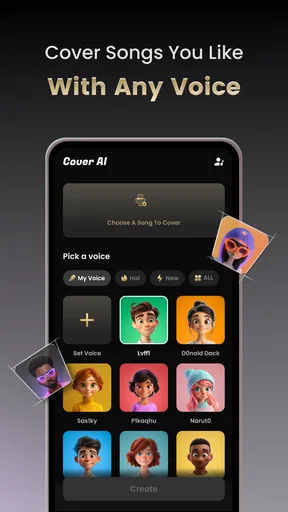
The first thing that stood out to me when I opened Music AI: MV Video Generator was its sleek and user-friendly interface. No complicated menus or overwhelming options here—just a straightforward design that invites you to dive right in. After a quick download from the app store, I was ready to explore.
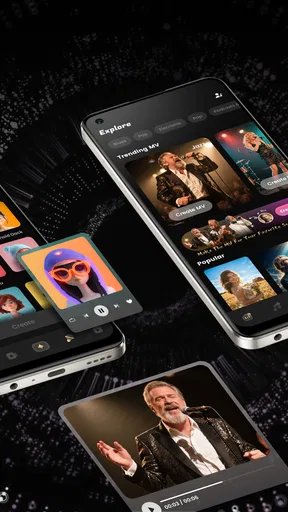
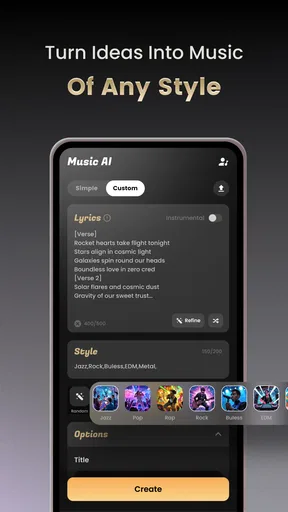
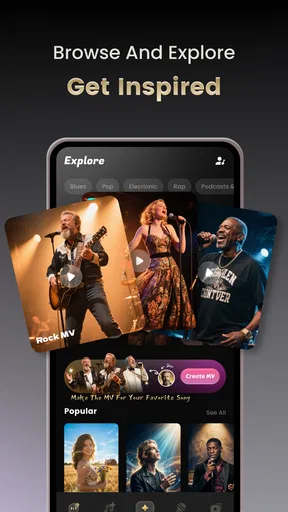
Creating a video is as easy as pie. You start by selecting a song from your library or choosing one of the app’s suggestions. The app does a pretty solid job of analyzing the music to suggest themes and styles that match the vibe of the track. It’s like having a creative partner who totally gets your musical taste.
Features that Make a Difference
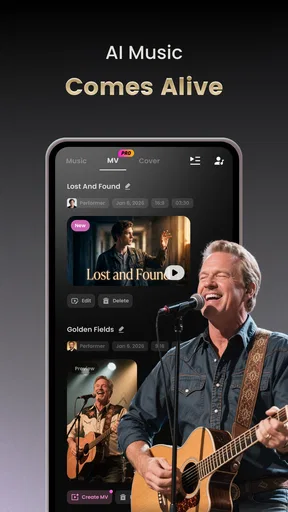
Now, let’s talk about the features that really make this app shine. First up is the AI-driven video generation. This isn’t just some cookie-cutter template system. The app uses advanced algorithms to craft unique visuals that sync beautifully with your music. It’s almost as if the video is dancing to the beat of your song.
The customization options are another highlight. You can tweak transitions, add text overlays, and experiment with filters to give your video that personal touch. I spent a good chunk of time playing around with these settings, and it’s amazing how much control you have over the final product. Whether you want something vibrant and energetic or smooth and subtle, the app’s got you covered.
Performance and Usability
Performance-wise, Music AI: MV Video Generator runs like a dream. Even on my older device, the app was smooth, with no noticeable lag or crashes. The rendering process is impressively quick, allowing you to see your masterpiece come to life in no time at all.
As for usability, the app scores high marks. The navigation is intuitive, making it accessible even for those who aren’t particularly tech-savvy. Each feature is clearly labeled, and the help section provides useful tips if you ever get stuck. I appreciated this user-friendly approach, as it lets you focus on being creative rather than figuring out how things work.
Worth Reading Before You Choose

Flipboard Shows What News Apps Must Do Beyond the Feed

Switching to Android Auto Means Rethinking Your Driving Routine

Google Calendar Makes a Crowded Week Easier to Manage

Ludo King Makes the Most of the Minutes Between Plans

Baby Panda World Brings Quick Play to Modern Phones, but Its Game Library Feels Busy

ESPN’s Live Game View Makes Following Close Games Easier
Sharing Your Creations
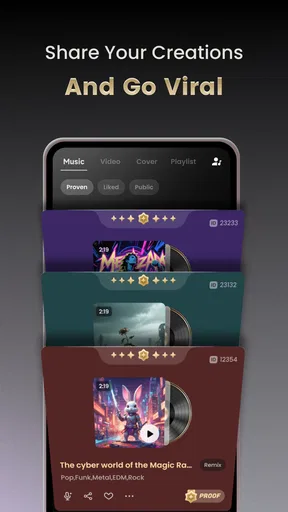
Once your video is ready, sharing it is a breeze. The app offers direct sharing options to all major social media platforms, so you can show off your creation to the world with just a few taps. Whether you’re posting to Instagram, TikTok, or YouTube, the app ensures your video maintains its quality and looks fantastic.
For those who prefer to keep things private, you can also save videos directly to your device. This flexibility is great for anyone wanting to create content for personal use or to share selectively with friends and family.
Final Thoughts
In a world where content is king, Music AI: MV Video Generator provides a fun and innovative way to express yourself. Whether you’re an aspiring musician, a content creator, or just someone who loves making cool videos, this app is a fantastic tool to have in your arsenal.
All in all, using this app was an absolute blast. It’s creative, intuitive, and delivers professional-quality results without requiring any prior video editing experience. So, if you’re ready to turn your tunes into stunning visual stories, why not give Music AI: MV Video Generator a try? You might just discover a new passion for video creation!
Pros
- Easy-to-use interface for quick editing.
- High-quality video output options.
- Extensive music library available.
- AI-generated effects enhance creativity.
- Seamless integration with social media.
Cons
- Limited free version features.
- Occasional lag in video processing.
- In-app purchases can add up.
- Requires internet for music access.
- Limited customization for advanced users.
FAQs for Music AI: MV Video Generator
What features does Music AI: MV Video Generator offer?
Music AI: MV Video Generator provides a range of features including AI-powered video creation, music synchronization, and customizable video templates. Users can easily create music videos by selecting their favorite tracks and applying visual effects. The app also offers editing tools to enhance video quality and transitions.
Is Music AI: MV Video Generator free to use?
Music AI: MV Video Generator offers a free version with basic features, but to unlock premium templates and advanced editing tools, a subscription is required. The app provides various subscription plans, catering to different user needs, with options for monthly or annual billing.
How user-friendly is the Music AI: MV Video Generator app?
The app is designed with a user-friendly interface that guides users through the video creation process. Its intuitive design makes it accessible for beginners, while advanced users can take advantage of more complex features. Tutorials and FAQs within the app assist users in maximizing its potential.
Can I use my own music in Music AI: MV Video Generator?
Yes, users can upload their own music tracks to create personalized music videos. The app supports multiple audio formats and provides tools to sync music with video clips seamlessly. However, users should ensure they have the rights to use any music they upload.
Is Music AI: MV Video Generator available on both Android and iOS?
Yes, Music AI: MV Video Generator is available for download on both Android and iOS platforms. Users can find the app on Google Play Store for Android devices and the App Store for iOS devices, ensuring compatibility with a wide range of smartphones and tablets.


